
From Waterfox to LibreWolf and Pale Moon, there's a browser for almost every Mozilla dissenter


Pale Moon – The Private, Secure and Fully Customizable Open Source Web Browser
If you’re looking for a fully non-commercial alternative to Chrome that respects your privacy, Pale Moon is built for you.
Pale Moon is an Open Source web browser built on its own maintained platform and rendering engine (Goanna™), available for various operating systems including Microsoft Windows, Mac OS and Linux (with community-contributed support for other operating systems), focusing on customization, security, privacy and extensibility.
Basilisk is considered stable software. This means it does not change for the sake of change. Updates are made deliberately, with an emphasis on maintaining existing workflows and minimizing unnecessary disruption.
If you want a browser that works consistently and respects established workflows, Basilisk may be a good fit.

Cool URIs don’t change n’est plus respecté. Cette idée qu’une URL ne change jamais est géniale. Un contenu, accessible une fois, est accessible toujours. Et s’il change d’adresse, une redirection correcte est faite pour ne pas déranger les internautes.
C’est une bonne pratique que j’applique pour les sites d’organisations que je gère. Mais je ne me vois plus l’appliquer sur mon blog personnel.
De toutes façon, les moteurs de recherche s’en fichent pas mal de mes pages. Et la «valeur» n’en est plus une. Franchement, je ne me vois pas faire ce genre d’effort pour Google et compagnie.
Quant aux internautes, il y a plein de possibilités de conserver un contenu qui serait important:
une sauvegarde simple de la page complète par son navigateur
une sauvegarde par son agrégateur de flux RSS et Atom (par exemple Inoreader)
une sauvegarde dans la fameuse WayBack Machine (je conseille de créer un compte et d’installer une extension de navigateur ou une application)
Certes j’ai cassé un contrat, mais tout existe pour que cela ne pose pas de problème. J’assume, même si ce choix m’a fait cogiter un certain temps. Tout est sauvegardé et je peux toujours fournir un contenu précis sur simple demande. Il n’est pas impossible que je remette en ligne certaines pages utiles.
Le vrai problème, c’est que plein d’autres contrats ne sont plus respectés, par des entreprises bien plus importantes que ce bon vieux Nicolas Friedli.
What makes a cool URI?
A cool URI is one which does not change.
What sorts of URI change?
URIs don't change: people change them.
There are no reasons at all in theory for people to change URIs (or stop maintaining documents), but millions of reasons in practice.
In theory, the domain name space owner owns the domain name space and therefore all URIs in it. Except insolvency, nothing prevents the domain name owner from keeping the name. And in theory the URI space under your domain name is totally under your control, so you can make it as stable as you like. Pretty much the only good reason for a document to disappear from the Web is that the company which owned the domain name went out of business or can no longer afford to keep the server running. Then why are there so many dangling links in the world? Part of it is just lack of forethought. Here are some reasons you hear out there:
We just reorganized our website to make it better.
Do you really feel that the old URIs cannot be kept running? If so, you chose them very badly. Think of your new ones so that you will be able to keep then running after the next redesign. //]
Why should I care?
When you change a URI on your server, you can never completely tell who will have links to the old URI. They might have made links from regular web pages. They might have bookmarked your page. They might have scrawled the URI in the margin of a letter to a friend.
When someone follows a link and it breaks, they generally lose confidence in the owner of the server. They also are frustrated - emotionally and practically from accomplishing their goal.
Enough people complain all the time about dangling links that I hope the damage is obvious. I hope it also obvious that the reputation damage is to the maintainer of the server whose document vanished.
So what should I do? Designing URIs
It is the the duty of a Webmaster to allocate URIs which you will be able to stand by in 2 years, in 20 years, in 200 years. This needs thought, and organization, and commitment.
URIs change when there is some information in them which changes. It is critical how you design them. (What, design a URI? I have to design URIs? Yes, you have to think about it.). Designing mostly means leaving information out.
The creation date of the document - the date the URI is issued - is one thing which will not change. It is very useful for separating requests which use a new system from those which use an old system. That is one thing with which it is good to start a URI. If a document is in any way dated, even though it will be of interest for generations, then the date is a good starter.
Current probe locations are listed below. They are also listed in this handy text file and can be accessed via DNS query to probes.nodeping.com for automating your firewall rules if needed.
This is a simple Apache setup to fight excessive bot traffic. The idea is simple: if a request is made without a proper cookie, present a simple page with a button. When the button is clicked, the cookie is set and future requests are allowed through. Legitimate users will click the button, while most bots will not.
Unlike other, similar solutions this one is designed to be easy to deploy and setup with an existing Apache server without the need of a reverse proxy or complex dependencies. Also unlike many other solutions it also optionally works with JavaScript disabled.
The handling is mostly done by mod_rewrite and a small Go helper program that performs fast lookups against multiple allow lists.
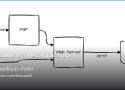
his is a somewhat recycled version of a forum post that I have to lookup again and again, because the same similar questions keep popping up:
How can I install DokuWiki on a shared drive?
How to run DokuWiki out of Dropbox and share it with multiple users?
How to sync DokuWiki between different computers?
These questions mostly come from users who made their first steps in DokuWiki using the "DokuWiki on a Stick" version. To novice users, the stick version feels like a traditional desktop application: you double click the run.cmd and DokuWiki starts.
But what is really starting is a local web server and a browser pointing to said web server.
Anubis is a Web AI Firewall Utility that weighs the soul of your connection using one or more challenges in order to protect upstream resources from scraper bots.
This program is designed to help protect the small internet from the endless storm of requests that flood in from AI companies. Anubis is as lightweight as possible to ensure that everyone can afford to protect the communities closest to them.
Anubis is a bit of a nuclear response. This will result in your website being blocked from smaller scrapers and may inhibit "good bots" like the Internet Archive. You can configure bot policy definitions to explicitly allowlist them and we are working on a curated set of "known good" bots to allow for a compromise between discoverability and uptime.
In most cases, you should not need this and can probably get by using Cloudflare to protect a given origin. However, for circumstances where you can't or won't use Cloudflare, Anubis is there for you.

A daemon that scans program outputs for repeated patterns, and takes action. Designed for ease of configuration and hackability.
Easy configuration
Few concepts to grasp, no hidden config. Easy to adapt to your needs
Flexible configuration
From IP bans to service restart: react to any log, and do anything in response
Performant
Save your CPU cycles for your services. Written in Rust with a focus on performance

Free QR Code Generator Online

Thinking about self-hosting an ebook library? Here are the open source software you can consider.

Download an entire website with wget, along with assets.
# One liner
wget --recursive --page-requisites --adjust-extension --span-hosts --convert-links --restrict-file-names=windows --domains yoursite.com --no-parent yoursite.com

# Explained
wget \
     --recursive \ # Download the whole site.
     --page-requisites \ # Get all assets/elements (CSS/JS/images).
     --adjust-extension \ # Save files with .html on the end.
     --span-hosts \ # Include necessary assets from offsite as well.
     --convert-links \ # Update links to still work in the static version.
     --restrict-file-names=windows \ # Modify filenames to work in Windows as well.
     --domains yoursite.com \ # Do not follow links outside this domain.
     --no-parent \ # Don't follow links outside the directory you pass in.
yoursite.com/whatever/path # The URL to downloadAcacia Tree Silhouette Favicon

As a web developer, I am thinking again about my experience with the mobile web on the day after the storm, and the following week. I remember trying in vain to find out info about the storm damage and road closures—watching loaders spin and spin on blank pages until they timed out trying to load. Once in a while, pages would finally load or partially load, and I could actually click a second or third link. We had a tiny bit of service but not much. At one point we drove down our main street to find service; eventually finding cars congregating in a closed fast-food parking lot, where there were a few bars of service!
When I was able to load some government and emergency sites, problems with loading speed and website content became very apparent. We tried to find out the situation with the highways on the government site that tracks road closures. I wasn’t able to view the big slow loading interactive map and got a pop-up with an API failure message. I wish the main closures had been listed more simply, so I could have seen that the highway was completely closed by a landslide. //
During the outages, many people got information from the local radio station’s ongoing broadcasts. The best information I received came from an unlikely place: a simple bulleted list in a daily email newsletter from our local state representative. Every day that newsletter listed food and water, power and gas, shelter locations, road and cell service updates, etc.
I was struck by how something as simple as text content could have such a big impact.
In having the best information provided in a simple newsletter list, I found myself wishing for faster loading and more direct websites. Especially ones with this sort of info. At that time, even a plain text site with barely any styles or images would have been better.

wallabag is a self hostable application for saving web pages: Save and classify articles. Read them later. Freely.

“Really Simple Licensing” makes it easier for creators to get paid for AI scraping. //
Leading Internet companies and publishers—including Reddit, Yahoo, Quora, Medium, The Daily Beast, Fastly, and more—think there may finally be a solution to end AI crawlers hammering websites to scrape content without permission or compensation.
Announced Wednesday morning, the “Really Simple Licensing” (RSL) standard evolves robots.txt instructions by adding an automated licensing layer that’s designed to block bots that don’t fairly compensate creators for content.
Free for any publisher to use starting today, the RSL standard is an open, decentralized protocol that makes clear to AI crawlers and agents the terms for licensing, usage, and compensation of any content used to train AI, a press release noted.

Thirty years ago today, Netscape Communications and Sun Microsystems issued a joint press release announcing JavaScript, an object scripting language designed for creating interactive web applications. The language emerged from a frantic 10-day sprint at pioneering browser company Netscape, where engineer Brendan Eich hacked together a working internal prototype during May 1995.
While the JavaScript language didn’t ship publicly until that September and didn’t reach a 1.0 release until March 1996, the descendants of Eich’s initial 10-day hack now run on approximately 98.9 percent of all websites with client-side code, making JavaScript the dominant programming language of the web. It’s wildly popular; beyond the browser, JavaScript powers server backends, mobile apps, desktop software, and even some embedded systems. According to several surveys, JavaScript consistently ranks among the most widely used programming languages in the world. //
The JavaScript partnership secured endorsements from 28 major tech companies, but amusingly, the December 1995 announcement now reads like a tech industry epitaph. The endorsing companies included Digital Equipment Corporation (absorbed by Compaq, then HP), Silicon Graphics (bankrupt), and Netscape itself (bought by AOL, dismantled). Sun Microsystems, co-creator of JavaScript and owner of Java, was acquired by Oracle in 2010. JavaScript outlived them all. //
Confusion about its relationship to Java continues: The two languages share a name, some syntax conventions, and virtually nothing else. Java was developed by James Gosling at Sun Microsystems using static typing and class-based objects. JavaScript uses dynamic typing and prototype-based inheritance. The distinction between the two languages, as one Stack Overflow user put it in 2010, is similar to the relationship between the words “car” and “carpet.” //
The language now powers not just websites but mobile applications through frameworks like React Native, desktop software through Electron, and server infrastructure through Node.js. Somewhere around 2 million to 3 million packages exist on npm, the JavaScript package registry.
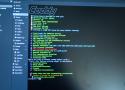
One of the most anxiety-inducing parts of self-hosting for me is ensuring that everything is as locked-down security-wise as possible. That's become even more critical as I increase my footprint, adding my own domain and subdomains that point to each service. I'm also a little particular, and while I could use a self-signed TLS certificate to ensure HTTPS for the services that need it, the reminder that it hasn't been done "properly" every time I access those services irks me.
And while there's any number of reverse proxies that I could use to access those services, few are as easy to set up and use as Caddy. //
Officially, Caddy is an open-source web server that can be used for many things. But because it's so easy to set up and includes built-in automatic HTTPS with TLS certificate management, it's often used as a reverse proxy for the home lab. That's because every domain, IP address, and even localhost are served over HTTPS, thanks to the fully automated, self-managed certificate authority.
The entire server is controlled by a single configuration file, the "Caddyfile," which is human-readable, and most tasks are handled with a few simple lines of text.
Call it a badge, sticker, button, or whatever you'd like. Create yours below. Pick some colors, enter some text, and you'll get a button you can download for your site.