Roku SoundBridge Legacy Proxy
Let the Music Play...Again!


Let the Music Play...Again!
If your home router links to the right IP address...
Hyman's 30-minute talk, while spellbinding, raised issues of feasibility that seemed insurmountable. Would audiophiles want to spend the time required to rip their favorite tracks to a computer's hard drive? And wouldn't a drive large enough to hold high-definition audio files be prohibitively expensive?
Only three years later, Hyman's dream has materialized. Hard-drive storage capacity per price point has jumped almost a hundredfold. Gracenote has become the international leader in digital media technology and services, providing complete management systems for digital media. There has been explosive growth in the number of online music vendors—iTunes.com, Rhapsody.com, Urge.com, and Napster.com, to name a few—that sell or rent downloadable music to music lovers.
With the new firmware I got control of the Roku M1000 from my laptop using SoundBridge Commander, which is handy if I'm at my laptop and out of the range of the remote. This software also displays what the VFD is displaying. I can't believe how awesome this device is!
There is a man who can mend Roku Soundbridges. He is called Pete Hillyer. You can contact him at
hillyp02-roku@yahoo.co.uk
I've had mine minded twice, and it cost about £30 plus postage.
Using the Sound Bridge Commander
SoundBridge Commander v1.0.1
Control your Roku SoundBridge from your Windows, Macintosh or Linux PC!
Control of the device can be done by faking a click on each of the buttons, or submitting a value in the case of the volume control. This can all be done via standard http POST commands.
First, the basic commands. The number after "x=" can vary, I think it's actually the x location on the button image where the mouse was clicked. That doesn't matter since each image only controls one function.
- Play
curl --data Play.x=1 http://192.168.1.45/Forms/SoundBridgeNP_1 - Pause
curl --data Pause.x=1 http://192.168.1.45/Forms/SoundBridgeNP_1 - Others
- Rinse and repeat for the remaining buttons on the page, if desired:
Prev
Stop
Next
RptOff
Shutoff
- Volume Control
For volume control, you POST a number between 0 and 100:
curl --data gPageVolume=80 http://192.168.1.45/Forms/SoundBridgeNP_2

I was rummaging around the other day and found my old streamer, a Roku SoundBridge M1000. This was Roku's first(?) product way back before there was any such thing as video streaming. I got it in 2005, so it's about 16 years old. It is long since abandoned, but I'm guessing if I hooked it up it would still work. I still have the original packing stuff, and bonus, an actual printed User Guide with detailed instructions, diagrams, screen shots, and everything.
Roku SoundBridge Legacy Proxy
Let the Music Play...Again!
- July 01 2024 nginx and regex combinations baffle me sometimes. I love doing backend scripting and hate design. so yeah this is ugly. but it works.
- July 8th 2024: things to do. 1: symptom,buffers over and over.If $sent_http_icy_metaint < 1024, turn off icy, no song info but it least it will work. 2: Prioritize MP3 feeds over others. 3: if destination is http, stop. no need to proxy. 4: setup a forum so i can herar from others?
- July 9th 2024: older Soundbridge models version 2.1.x now work with proxy.
Prefix https preset URL with: http://www.opieproxy.com/roku/

Can the SoundBridge/SoundBridge Radio play Internet Radio?
What Internet Radio formats can SoundBridge/SoundBridge Radio play?
The following HTTP-streamed formats are currently supported:
- MP3 streams (usually ending in .pls or .m3u)
- WMA streams (usually ending in .asx). You will need the 2.5 software installed on the SoundBridge to play these back.
There is preliminary support for the following stream format on most SoundBridge models:
- AAC+ streams
The following stream formats are not currently supported:
- Real streams (usually ending in .ram)
https://web.archive.org/web/20230208194929/https://www.roku.com/products/soundbridge
SoundBridge Radio Static IP Assignment
telnet xxx.xxx.xxx.xxx 4444
ipset- A for Automatic (DHCP)
- M for Manual – enter IP Address, Subnet Mask, Gateway, DNS Server 1 and 2
https://web.archive.org/web/20201024091154/https://soundbridge.roku.com/support/static_ip.php
This document explains the concept of a Preset, which was introduced in SoundBridge software version 2.5. It is intended to supplement the SoundBridge User’s Guide and the SoundBridge Radio User’s Guide, which may cover this information in greater detail. The latest versions of the User's Guides are available online here. //
https://web.archive.org/web/20101218051403/http://soundbridge.roku.com/support/preset.php

nginx-proxy-settings for a Soundbridge radio, that only supports http streams, but wants to play https streams too.
context: https://mind.work/2021/01/18/rescue-of-the-soundbridge-m1001/
To use it in your own projects, replace 'localhost' in 'mind_work/etc/nginx/conf.d/default.conf' with the hostname you actually use.
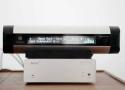
My name is Chris and I’ve built a public version of this https to http nginx proxy for the Roku Soundbridges. Hopefully this will help those having a tough time building their own. Would you like to help me test?
Prefix preset URL with: http://www.opieproxy.com/roku/
If you have a station using HTTPS like
https://desertmountainbroadcasting.streamguys1.com/KBOZ-AM
put in your preset
http://www.opieproxy.com/roku/desertmountainbroadcasting.streamguys1.com/KBOZ-AM
I may have the only Soundbridge left that can browse an internet database by genre and pick a station and actually listen to it. Not just Presets. Would you like to help test that too?
If you can redirect on your local network, the DNS entry for http://www.radioroku.com to http://www.opieproxy.com
or add a static DNS entry for http://www.radioroku.com to 44.227.162.229 you might be able to browse stations again.
nginx-proxy-settings for a Soundbridge radio, that only supports http streams, but wants to play https streams too.
context: https://mind.work/2021/01/18/rescue-of-the-soundbridge-m1001/
To use it in your own projects, replace 'localhost' in 'mind_work/etc/nginx/conf.d/default.conf' with the hostname you actually use.
Build: docker-compose build
Start: docker-compose up
The second problem can´t be fixed so easily. It has the effect that my Soundbrigde more and more is losing the ability to get in contact with radio-streams. It needs a while to identify this as a protocol issue. The Roku can work with a lot of protocols like WEP, WPA, AutoIP, DHCP, TCP, TELNET, HTTP and DRM – but not with HTTPS. And this is the point. Each time a radio station is switching from HTTP to HTTPS my ROKU is losing the capability to “receive” it. Time to put the M1001 into Garbage can? No! Time to call my friend and software developer Winfried Jacobs. I asked him for some MIND WORK to find a way for transforming HTTP into HTTPS requests. And here is what came to his mind while on a bike ride. //
https://github.com/mindwork-design/soundbridge-reverse-http-proxy

HTTPS for Roku SoundBridge M1001
The SoundBridge M1001 has a lot of protocols the device can work with. But being 15 years old, HTTPS is not implemented. So the radio is dying in slow motion - each time a station is changing from HTTP to HTTPS it passed away for owners of a SoundBridge. Until now. Cause I love my M1001 I made a workaround. So have a look at https://mind.work/2021/01/18/rescue-of-the-soundbridge-m1001/