Scribus is the Go-To Libre Desktop Publishing Application.
Scribus is a libre page layout program for almost every operating system
Welcome to Scribus, a page layout program for Linux, Windows, macOS, many current UNIX and *BSD systems, OS/2 Warp 4 and variants, as well as Haiku.
Since its humble beginning in the spring of 2001, Scribus has evolved into one of the premier Open Source desktop applications. Encouraged by professionals and beginners alike, the Scribus Team, with support from a large and growing number of enthusiastic contributors from all over the world, is dedicated to develop and improve “one of the most powerful and useful open-source projects out there” (TechRepublic). The leading German IT website heise.de listed Scribus as one the of the best Open Source programs available.



Say Goodbye to Microsoft Publisher. Try These 8 Alternatives Before It Disappears Next Month | PCMag
The end of Microsoft Publisher is near. I've tested the top alternatives, and here's what I recommend for both pro and beginner designers.
WordStar was first introduced in 1978 and the final release — WordStar for DOS 7.0 Rev. D — came out in December 1992. The program has never been updated since, and the company that made it has been defunct for decades; the program is abandonware.
But I still use it, and George R.R. Martin uses an earlier version. There has never — until now — been a complete online archive of the final version of the program along with all its manuals. Here it is:
This note describes XyWrite III+ in some detail, with emphasis on (a) its overall architecture and on "internals," and (b) its "macro"/programming/automation facilities. The target audience is threefold: (1) XyWrite III+ users who want more understanding, mostly of XyWrite XPL programming, (2) others who have never used XyWrite, and "wonder what the fuss is/was all about," and (3) myself -- since nothing clarifies one's thoughts about a given topic as trying to explain the topic to someone else. //
XyWrite III+ is a product that many users still feel is the best writing tool they have ever experienced. But, due to some misestimation by XyQuest (XyWrite's developer) as to how much MS Windows would damage the DOS applications market, plus an untimely, misguided, and costly partnership between XyQuest and IBM at about the time Windows was emerging, XyQuest failed at about the time MS Windows emerged. XyWrite development largely ceased soon thereafter.
In my view, many of the concepts that made XyWrite great have never been articulated, and many of them died when XyQuest died. This note attempts to explore and lay out some of those concepts, in a way that they might be appreciated even by someone who has never used the product, in the hope that some of these concepts might emerge in some measure in future "word processing" software. This hope, however, is perhaps a rather slim one -- nothing will make a person into a XyWrite fan as much as actually using the product will.
XyWrite is a word processor for MS-DOS and Windows modeled on the mainframe-based ATEX typesetting system. Popular with writers and editors for its speed and degree of customization, XyWrite was in its heyday the house word processor in many editorial offices, including the New York Times from 1989 to 1993. XyWrite was developed by David Erickson and marketed by XyQuest from 1982 through 1992, after which it was acquired by The Technology Group. The final version for MS-DOS was 4.18 (1993); for Windows, 4.13. An offshoot descendant of XyWrite called Nota Bene is still being actively developed.
DOS XyWrite virtualization solutions:
vDosPlus XyWrite installers
I continue to use WordStar for DOS 7.0 as my word-processing program. It was last updated in December 1992, and the company that made it has been defunct for decades; the program is abandonware.
There was no proper archive of WordStar for DOS 7.0 available online, so I decided to create one. I’ve put weeks of work into this. Included are not only full installs of the program (as well as images of the installation disks), but also plug-and-play solutions for running WordStar for DOS 7.0 under Windows, and also complete full-text-searchable PDF versions of all seven manuals that came with WordStar — over a thousand pages of documentation.
I’ve also included lots of my own explanations on how to use and customize WordStar, many WordStar-related utility programs, and numerous other goodies.
Carolyn Clink kindly did the scanning of the manuals. When she was done, I said to her, “Countless WordStar users will thank you.” She replied, “Oh, I think I can count them.” ;)
And it’s true that the WordStar die-hard community is pretty small these days (George R.R. Martin still uses the even-older WordStar 4.0). But the program has been a big part of my career — not only did I write all 25 of my novels and almost all of my short stories with it (a few date back to the typewriter era), I also in my earlier freelance days wrote hundreds of newspaper and magazine articles with WordStar.
I wanted there to be a monument to this, the finest word-processing program ever created. As Anne Rice said, “WordStar was magnificent. I loved it. It was logical, beautiful, perfect. Compared to it, Microsoft Word is pure madness.”
And, I suppose I’m thinking a bit about my legacy, too. Once I’m gone, my literary estate will need to deal with my electronic manuscripts, and my executor should be able to work with them on her own computer rather than just mine. Also, there are countless other writers who are no longer with us who wrote with WordStar, including Arthur C. Clarke; I hope this archive I’ve created will be of use to scholars.
Anyone can have WordStar for DOS 7.0 up and running on a Windows computer in a matter of minutes using this archive; with just a little bit more work, WordStar for DOS 7.0 also runs just fine under Linux and Mac OS.
Here’s the link to the full 680-megabyte archive:
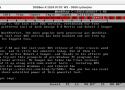
Before WordPerfect, the most popular work processor was WordStar. Now, the last ever DOS version has been bundled and set free by one of its biggest fans.
WordStar 7.0d was the last-ever DOS release of the classic word processor, and it still has admirers today. A notable enthusiast is Canadian SF writer Robert J Sawyer, who wrote the book that became the TV series Flashforward.
Thanks to his efforts you can now try out this pinnacle of pre-Windows PC programs for professional prose-smiths. Sawyer has taken the final release, packaged it up along with some useful tools — including DOS emulators for modern Windows – and shared the result. Now you, too, can revel in the sheer unbridled power of this powerful app. //
While many folks in the Unix world have Vi keystrokes engraved in their muscle memory, those for WordStar are the equivalent for CP/M and MS-DOS users of a certain age. Ctrl+S/ E/D/X for navigation, Ctrl+K, B to mark the start of a block, Ctrl+K, K to mark the end, then Ctrl+K, C to copy it or Ctrl+K, V to move it; and Ctrl+K+S to Save. The modern Joe text editor still uses them, for instance. It hasn't got all the functionality, but if you don't want to struggle with an emulator to run a DOS app, the FOSS clone WordTsar comes close, and has versions for Windows, Linux and macOS.
By modern standards, WordStar doesn't do much, but it does everything many writers want. The Reg FOSS desk is rather fond of Robert Sawyer's novels, as well as George R R Martin's come to that, but those less given to genre fiction may recognize William F Buckley Jr and Ralph Ellison, both keen users. ®
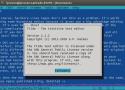
Tilde is a plain text editor for the Linux console. The difference is that even if you've never seen it before, you already know how to use this one. //
In the bad old days of WordStar, WordPerfect, DisplayWrite, MultiMate, Arnor Protext and so on, every app had a totally different UI.
This was partly because they all came from different original platforms, partly because such things weren't standardised yet, and partly because once someone had mastered one company's program, it made them very reluctant to switch to anything else. WordStar, for instance, offered original WordStar, WordStar 2000 and WordStar Express, all with totally different UIs.
But then the Mac came along. All its apps looked and worked much the same, because in 1987, Apple published a big, detailed book [PDF] telling programmers exactly how MacOS UIs should work. IBM followed suit with its CUA standard and gradually PC apps fell in line.
Windows and OS/2 both followed CUA, as did Motif on UNIX, and for a few decades harmony mostly reigned. GNOME 3 threw a lot of this out of the window, but even now most Linux graphical desktop and apps broadly follow the system: a menu bar, with File and usually Edit menus, a Help menu at the end, Ctrl+S to save, Ctrl+O to open, and so on. You may never have heard of CUA, but you know how to use it. //
Macros, tips, and templates for Corel® WordPerfect® for Windows®
This is a WordPerfect "template" of the default Function key assignments (F1-F12) in the standard WPWin keyboard, in the form of a simple .WPD file.
Note that this is not a typical WordPerfect template file (*.WPT) -- it is simply a standard WPD document (8.5"x11") in portrait format containing two tables (F1-F6 and F7-F12) that you can print out and tape to the wall, or open when needed with a shortcut key (e.g., see "Add a specific folder or file to any visible toolbar" here).
Users of the WordPerfect DOS keyboard can modify the document's table to suit their needs. //
Update: Included with WordPerfect X8 (released in 2016) and later versions is a new Corel macro: CreateFunctionKeyTemplate.wcm located in your Default macros folder. This displays a small dialog of options and then creates a printable landscape-oriented table of the current keyboard's Function keys assignments. To play it just use Tools, Macro, Play and type its name.
WPDOS under Modern Windows and macOS, New Printer Drivers, Euro Symbol Support, and Added Features for WPDOS 5.1 and 6.x
A REVOLUTIONARY NOTE-TAKING, REFERENCING, & WRITING SYSTEM
What this is
This repo contains downloads of compressed disk images of bootable USB keys.
Version 1 is based on several upstream FOSS projects, plus some ancient DOS freeware applications. The idea is to provide a complete, easy-to-use, distraction-free environment for writers. It is set up for English with provision for US and UK keyboard layouts. If you want other translations, I welcome help!
To get your work off the key, just insert the key into a computer that's already running any more modern OS than DOS.
You cannot go online with the keys and there are no Internet tools. There are also no games included. Both are intentional.
What it contains: SvarDOS plus a menu launcher and a choice of freeware writing tools
The operating system is SvarDOS, the latest release as of January 2025. For source code for the OS, go to the SvarDOS website.
There are no build scripts or source code here. I did not use any. I did not compile anything at all. What I did was take pre-existing compiled code from SvarDOS and other projects, install it, and configure it. Then I worked out how to make bootable media in VMs, imaged those DOS-bootable USB media, and put the downloads here.
The main writing-tools key has a simple launch menu using the DOSShell menu from PC DOS 2000, which back in 2021 I made into a Virtualbox VM and published on my tech blog.
It contains three word processors, two outliners, three plain-text editors, and some other apps. These alls are all explicitly freeware or products from companies that no longer exist.

By 21st century standards, DOS is so tiny and simple that it can run on almost anything. It has a library of thousands of apps, including some very powerful tools. Many were shareware or public domain, and are legal to use for free. Even many formerly commercial apps are legally freeware now. As an example, there's a good assortment at the FreeDOS repo. FOSS was not a big thing in the DOS era – it predates the invention of the GPL, for instance – but DOS versions of some of the big-name FOSS apps, such as Emacs and Vim, do exist. //
There's one purpose where being the digital equivalent of a hermit in a cave in the desert is an advantage. A function for which a total lack of ability to connect to a WLAN and access the Web is a desirable thing: a standalone, non-networked, multimedia-free writing machine.
Early versions of many of the big-name word processors ran on DOS, including the classic WordPerfect and the original Microsoft Word. There are other writers' tools, too, such as Symantec's GrandView outliner. Not all are free to use these days, but a surprising number are. For instance, one of the most popular British apps from the 1980s boom times, Arnor Protext, is now freeware. Even some of the big names, when the last inheritor ceased trading years ago, as we described regarding MicroPro's WordStar last year. //
Microsoft Word 5.5 came out in 1990 and was the first DOS release with a modern CUA user interface – in other words, drop-down menus using standard keystrokes. It still works well and Microsoft released this version as freeware in 1999 as a Year 2000 fix for all previous versions of Word for DOS and OS/2. (Unfortunately, this doesn't apply to Word 6.0 for DOS, which was the final DOS version and is a little more pleasant to use.) //
The result of the holiday season at the end of last year is our USB-DOS project on GitHub. It's a – so far, very small – collection of images of bootable USB keys. There are both FAT16 and FAT32 images. The FAT16 image will fit on a 256 MB key, if you can still find one that tiny; the FAT32 image will fit on a 4 GB key with a lot of room to spare. The first release, version 1.0, contains MS Word, Arnor Protext, an outliner, and the WordPerfect Editor. It boots straight into a graphical menu that lets you run the apps without ever even seeing DOS's command line. The second release, version 1.1, is nearly twice the size, but that's because it adds in the DOS components from Robert Sawyer's WordStar 7 archive, including file conversion utilities, and substantial documentation as PDF files. For that reason, we also added Adobe Reader for DOS.