Daily Shaarli
January 7, 2026

cat is surely the best way to do this. Why use python when there is a program already written in C for this purpose? However, you might want to consider using xargs in case the command line length exceeds ARG_MAX and you need more than one cat. Using GNU tools, this is equivalent to what you already have:
find . -maxdepth 1 -type f -name 'input_file*' -print0 |
  sort -z |
xargs -0 cat -- >>outAfter writing/co-authoring/translating three very highly regarded history books, and selling them in three languages all over the world in five figure numbers, I was dissapointed how the entry barrier to history writing did not always appear to be orientated towards writing facts, and sometimes more about pretending how complicated the whole process was.
It IS extremely difficult, but, it is NOT complicated.
If you REALLY do want to write a history book, and its keeping you awake at night, here is one method which works.
How to Write a History Book_V1-0Download
what is the fastest method to CREATE a thousands of files? Also, does it really matter if there is data in them, if they are just being deleted?
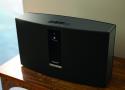
I’ve started only buying smart devices if there’s already an active community project to provide firmware and such should the company disappear or give up. If you want the convenience of “smart” devices, you have to compromise somewhere.
You can also buy devices that use open protocols like zwave, zigbee, or thread/matter. zwave is by far the best of the 3 because the certification requires that the devices properly implement the standard so any controller can manage any device, however that also makes it the most expensive and least flexible of the 3. For me stuff I care about long-term support for is zwave (thermostat, living room lights including wall controller), stuff that I'm less worried about having to possibly replace some day like motion detection or smart outlets can be zigbee, or Matter. Thread/Matter is starting to get to the point where the standard and interoperability testing is robust enough that I might consider it for my mission critical stuff in the near future.
As far as music, I've got 20 year old speakers hooked up to a 10 year old receiver that gets fed by the TV or anything plugged into it, thanks to HDMI ARC I don't have to worry about what TV I use or what device is plugged into it, downside of course is that the TV has to be turned on and tuned to the music source (not a big deal for my personal situation, others may not like the compromise).
Using rsync is surprising fast and simple.
mkdir empty_dir
rsync -rd --delete empty_dir/    yourdirectory/
When every email is in its place, that doesn’t mean you find stuff. At least not reliably, let alone fast. This is a scientifically proven fact (see this research paper or its summary).
Note that this is about folders that sort emails by content in some sort of hierarchy. There are folks who prefer action based “folders”, say a “Read later” or “urgent”, but those are essentially just labels meant to help with productivity, not real folders that are about filing and finding emails. //
-
Sorting mails into folders doesn’t feel like a good use of my time. I should be doing something that carries more value, like actually acting on my email
-
Of all the emails I receive (and that I want to keep), it’s my wild guess that I will need to find – at most – 10% ever again. The problem is: I don’t know which 10% of the 100% of received emails my future self will need. Moving an email to a folder takes time, and I can’t do it on autopilot.
-
The filing system I set up will need to anticipate my future self’s search logic. Highly non-scientific empirical behavioral research on a sample of 1 (me) clearly shows that the brain functions governing filing things and finding things differ. If you are a folder person, I bet that you too have experienced going from folder to folder to folder, trying to figure out where the heck that email that you just know you diligently filed exactly where it belongs actually is.
-
Some email I want to sort away may fit the topic of folder A just as well as folder B. Does it go in A? or in B? Put a copy in both? Decisions! More thought processes! //
Setting up a new rule, your email client usually allows you to apply the rule to existing emails. So it’s going through your emails and filters away according to the rule you just set up. You know what that is? This is, in fact, a search operation on your email database.
So what is the difference between an automated filtering rule and a search? A rule is a search that you set up without having a need yet. You may never need the rule you set up. You may be setting up the wrong rule/search.
(You may want to set up rules that filter away emails automatically so you don’t even see those emails – you can’t unsubscribe everything, this kind of rule is not really for filing, it’s like a spam filter. Ask yourself if you are actually looking at those emails ever, and be bold to unsubscribe.)
So if rules are the answer to the issues with folders, and search is kind of equivalent to rules, then the answer actually is to scrap all those folders! Ok. Most folders. //
If your preferred email program has a good search function, you may consider stopping to file stuff.