Daily Shaarli
January 16, 2026
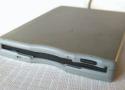
Just insert a disk and the TV starts playing three-year-old’s favorite shows. //
The one thing Olesen said he'd do differently, were he to redesign the entire project, would be to eliminate the Chromecast due to excessive latency and connect a computer directly to the TV. That, and he wishes he would have programmed a different melody onto each disk that would play from the drive itself when a disk was inserted, which he told us "should be totally doable" if he ever gets around to it.
If you, too, long for the era when a satisfying ca-chunk preceded file transfers and want to find something useful to do with that old floppy disk drive rotting away in that box of old computer stuff, Olesen's entire codebase and other relevant project files are available on GitHub. ®
https://github.com/mchro/FloppyDiskCast

Download an entire website with wget, along with assets.
# One liner
wget --recursive --page-requisites --adjust-extension --span-hosts --convert-links --restrict-file-names=windows --domains yoursite.com --no-parent yoursite.com

# Explained
wget \
     --recursive \ # Download the whole site.
     --page-requisites \ # Get all assets/elements (CSS/JS/images).
     --adjust-extension \ # Save files with .html on the end.
     --span-hosts \ # Include necessary assets from offsite as well.
     --convert-links \ # Update links to still work in the static version.
     --restrict-file-names=windows \ # Modify filenames to work in Windows as well.
     --domains yoursite.com \ # Do not follow links outside this domain.
     --no-parent \ # Don't follow links outside the directory you pass in.
         yoursite.com/whatever/path # The URL to download