Daily Shaarli
February 25, 2026
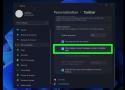
To move the Windows 11 Start menu from the center to the left, right-click on the taskbar, select "Taskbar settings," then under "Taskbar behaviors," change the "Taskbar alignment" from "Center" to "Left." This will shift the Start button and other icons back to the left side of the screen.

As a benefit to employees, Enterprise organizations can offer sponsorships for free Families organizations. Sponsored families organizations allow users to securely share personal credentials with up to five family members or friends, encouraging good security habits at home as well as at work.

Audit Mode is a special Windows setup environment used mainly by IT professionals and manufacturers. Unlike the normal Windows installation that takes you through the OOBE (where you create user accounts, set up privacy options, and connect to Wi-Fi), Audit Mode allows administrators to bypass this process.
Key characteristics of Audit Mode:
- Bypasses OOBE so the system can be configured before end-user access.
- Allows installation of drivers, applications, and updates.
- Enables creating and capturing Windows images for deployment.
- Provides administrator access without creating new user accounts.
You’ll know you are in Audit Mode if:
- You see a System Preparation Tool (Sysprep) window open automatically after login.
- The PC bypasses the OOBE setup process.
- The desktop shows an administrator account with no other user accounts available.
The most straightforward way to exit Audit Mode is by using the built-in Sysprep tool.
- Boot your PC into Windows 11.
- When the System Preparation Tool window appears, check the options carefully.
- Under System Cleanup Action, select:
- Enter System Out-of-Box Experience (OOBE).
- Check the box Generalize if you want to remove system-specific data (optional, mostly for deployment).
- Under Shutdown Options, choose Reboot.
- Click OK.
If the Sysprep window does not appear automatically or you closed it, you can launch it manually through Command Prompt.
- Press Windows + R, type
cmd, and press Enter. - In Command Prompt, type the following command and press Enter:
C:\Windows\System32\Sysprep\Sysprep.exe /oobe /reboot - Windows will reboot into OOBE, where you can set up your account and finish the installation process.
Most phishing websites are little more than static copies of login pages for popular online destinations, and they are often quickly taken down by anti-abuse activists and security firms. But a stealthy new phishing-as-a-service offering lets customers sidestep both of these pitfalls: It uses cleverly disguised links to load the target brand’s real website, and then acts as a relay between the victim and the legitimate site — forwarding the victim’s username, password and multi-factor authentication (MFA) code to the legitimate site and returning its responses.
In an ever-changing industry, knowledge is vital to your job. Since the 1960s, the Franklin Electric AIM manual has been directed at helping you navigate questions related to submersible motor Application, Installation, and Maintenance.