Daily Shaarli
October 4, 2026

Milt Windler, one of the four leaders of Mission Control who in 1970 directed the round-the-clock efforts to bring the Apollo 13 astronauts back to Earth safely, has died at the age of 94. //
“Apollo was such a rapid pace that I don’t think people had the chance to think about it very much. It has only become more clear to me later on that we were making history,” said Windler in a 2006 oral history interview for the University of North Texas. “You’d do a mission and then you’d immediately turn around and get ready for another mission.”
“It was not [a] time for reflection,” Windler said. //
“If I did it again, I’d probably try to do something more about trying to pay more attention,” said Windler. “Apollo was — well, all of [the missions] were … bang-bang-bang. You couldn’t enjoy, really, in a way you couldn’t savor it, like maybe it would have been better to have done.”
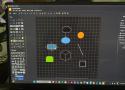
When I first opened draw.io, I honestly wasn't expecting much. The interface looked clean and fairly basic. There wasn't a lot happening on the screen, and I initially wondered whether I had found a proper Visio alternative or just another lightweight diagramming tool.
I decided not to judge it too quickly and spent a little time exploring the interface. That was when I started noticing that simplicity was actually one of its strengths. //
After spending enough time with draw.io, I stopped thinking about what I was missing from Visio. Instead, I started focusing on what I could actually get done with it. That shift made a bigger difference than I expected.
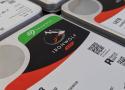
Let's face it, most of us buy NAS drives on faith. I certainly did, and every hard drive in my NAS is a NAS or enterprise model because that's what you're told to put in one. Ask why, and the answer often comes back as a single firmware timeout that determines how long a drive keeps fighting a bad sector before it gives up. It's not the only specification you should pay attention to, but it's an important one for when using RAID.
That timeout goes by three names: TLER on WD drives, ERC on Seagate, and CCTL on Samsung and Hitachi. It's been a spec-sheet bullet since WD's RE4 server drive advertised it in 2009, and it's a big reason people tell you to buy the best hard drives for NAS instead of whatever's cheapest. So I asked my own drives what they were set to, and the number wasn't the one I expected.
Picture a drive hitting a sector it can't read cleanly. A desktop drive will keep rereading it, adjusting and retrying, because it assumes it holds the only copy of your data and giving up means losing it. That's the right call for a lone drive in a PC, and it's why desktop drives have traditionally shipped with the limit switched off.
In an array, that stubbornness backfires. Once you set up RAID in a NAS, another copy of that data sits on a different drive, and the array would rather rebuild the sector from there than wait. Hardware RAID controllers drop a drive that stalls past their command timeout, while Linux waits 30 seconds by default before resetting a drive that's gone quiet. A time-limited drive gives up early, reports the error, and lets the array fix it, saving you time and your data.
sudo smartctl -l scterc /dev/sde remembering that smartctl counts in tenths of a second:
sudo smartctl -l scterc,70,70 /dev/sde