ZFS (previously Zettabyte File System) is a Enterprise-grade and highly scalable advanced filesystem. ZFS is a fundamentally different file system because it is more than just a file system.
ZFS combines the roles of file system and volume manager, enabling additional storage devices to be added to a live system and having the new space available on all of the existing file systems in that pool immediately. By combining the traditionally separate roles, ZFS is able to overcome previous limitations that prevented RAID groups being able to grow. Each top-level device in a zpool is called a vdev, which can be a simple disk or a RAID transformation such as a mirror or RAID-Z array. ZFS file systems (called datasets) each have access to the combined free space of the entire pool. As blocks are allocated from the pool, the space available to each file system decreases. This approach avoids the common pitfall with extensive partitioning where free space becomes fragmented across the partitions.
Self-healing data protection is built-in natively to XigmaNAS and ZFS. This gives the file system the ability to automatically recover from drive errors and failures without the loss of data/corruptions of data.


There are a couple of things about ZFS itself that are often skipped over or missed by users/administrators. Many deploy home or business production systems without even being aware of these gotchya's and architectural issues. Don't be one of those people! ////
Some dated info, but good basics
The 'zdb -d` will display information about the dataset.
# zdb -d pool | grep pool/data
Could not open pool/data/%recv, error 16
Dataset pool/data [ZPL], ID 291, cr_txg 112281839, 219K, 7 objects
In this particular situation, we had an ongoing recv process which couldn’t read the data from network. Therefore, the zdb command might be a very useful and quick option to solve such situations.
One of the best aspects of ZFS is its reliability. This can be accomplished using a few features like copy-on-write approach and checksumming. Today we will look at how ZFS does checksumming and why it does it the proper way. //
We can see that using a merkle tree is a very safe way to store data on the disk, as it allows us to detect a lot of problems in the system. It is also worth noting that if ZFS is configured in the redundant way, it will detect broken data, return correct data (of course if possible) and also will repair them. This feature is called self-healing.
The catch is that scrubs are expensive, especially when the pool holds petabytes. An admin who hit a power-supply problem or a sudden shutdown usually wants to scrub the data written around that event, not the entire pool. That is the goal here: teach ZFS something about wall-clock time.
Internally, ZFS only thinks in transaction group (TXG) numbers. Administrators, inconveniently, think in dates. A TXG is just a uint64_t that goes up with every transaction, and there has never been a clean way to map between the two. //
With the database in place, zpool scrub learned two new flags: -S for the start date and -E for the end date. Both accept "YYYY-MM-DD" or "YYYY-MM-DD HH:MM" in local time. The end date is rounded up: scrubbing a bit more than asked is fine, scrubbing less is not.
shipped in OpenZFS 2.4.0.
Most of the time, the whole point of ZFS is that your data does not get corrupted. But during development you sometimes need the opposite: a controlled, reproducible corruption, so you can watch self-healing kick in, see what a scrub reports, or just understand how a file maps onto the physical disk. There is no better exercise than breaking one byte on purpose and seeing ZFS struggling.
The safe rule is simple: do this only on throwaway pools backed by throwaway files. Pointing these commands at a real disk would be less of a lesson and more of a confession.
This is the story of doing exactly that on Linux, the lazy way and the educational way.
What is ZFS and why is it so popular among experienced users? Let's have a look at the history of ZFS and its features and advantages over other filesystems. ////
Snapshot explanation is incorrect about recovery and storage -- snapshots track all changes to the file system, not just versions of existing files.
In order to completely avoid the write hole, you need to provide write atomicity. We call the operations which cannot be interrupted in the middle of the process "atomic". The "atomic" operation is either fully completed or is not done at all. If the atomic operation is interrupted because of external reasons (e.g. a power failure), it is guaranteed that a system stays either in original or in final state.
In a system which consists of several independent devices, natural atomicity doesn't exist. Variance of mechanical hard drives characteristics and data bus particularities don't allow to provide required synchronization. In these cases, transactions are typically used. Transaction is a group of operations for which atomicity is provided artificially. However, expensive overhead is required to provide transaction atomicity. Hence, transactions are not used in RAIDs.
One more option to avoid a write hole id to use a ZFS which is a hybrid of a filesystem and a RAID. ZFS uses "copy-on-write" to provide write atomicity. However, this technology requires a special type of RAID (RAID-Z) which cannot be reduced to a combination of common RAID types (RAID 0, RAID 1, or RAID 5).
Ceph and ZFS solve different storage problems. Ceph is designed for distributed storage across many servers, while ZFS focuses on maximizing performance, reliability, and simplicity on a single storage system.
Distributed storage introduces operational and performance trade-offs. Ceph provides horizontal scalability and resilience against multiple node failures, but requires additional networking, coordination, and management overhead that can increase latency and complexity.
Many organizations don’t need distributed storage. Modern ZFS systems can deliver exceptional capacity, performance, and availability with significantly lower operational complexity, making them a strong alternative for virtualization, databases, backups, and enterprise storage.
Repaired blocks indicate that ZFS found mismatched checksums and corrected the underlying data. A small number of repaired blocks is normal for large storage pools, and occasional bit rot is expected. A rising number of repaired blocks over multiple scrubs signals a problem. //
- Occasional repaired blocks are normal in large pools but, rising totals across scrubs indicate degrading hardware.
- The READ and WRITE counters indicate device level I/O errors. Persistent values on a single device suggest cable problems, controller instability, or a failing disk.
- The CKSUM column indicates checksum mismatches detected during normal reads.
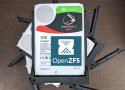
Learn to get the most out of your ZFS filesystem in our new series on storage fundamentals. //
But before we get to the numbers—and they are coming, I promise!—for all the ways you can shape eight disks’ worth of ZFS, we need to talk about how ZFS stores your data on-disk in the first place.
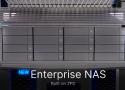
Enterprise storage has traditionally required costly licensing, proprietary hardware, and complex management. ENAS changes that by delivering a private, local storage platform designed for performance, scalability, and simplicity, all without the overhead typically associated with enterprise infrastructure.
ENAS combines proven ZFS architecture, with optional M.2 NVMe L2ARC caching, and a powerful ARM Neoverse N2 platform to make our highest performance storage solution to date.
- 8 Arm Neoverse N2 cores for demanding workloads
- 64GB ECC memory for enhanced data integrity
- Dual NVMe cache for accelerated performance
- Native ZFS for advanced storage protection
Snapshots are one of the most powerful features of ZFS. A snapshot provides a read-only, point-in-time copy of the dataset. With Copy-On-Write (COW), ZFS creates snapshots fast by preserving older versions of the data on disk… Snapshots preserve disk space by recording just the differences between the current dataset and a previous version… [and] use no extra space when first created, but consume space as the blocks they reference change.
But ZFS also comes with an uncomfortable truth that doesn't get talked about enough: the filesystem is only as good as the operating system wrapping it. And if you're running ZFS on a generic Linux distribution, you're often signing up for more risk, maintenance, and subtle breakage than you expect. ZFS works on Linux, and many use it daily, but it's not a seamless, built-in part of the kernel. Instead, it's an add-on with caveats, and setting it up can feel frustratingly difficult. //
The problem with ZFS is Oracle
Licensing is a major issue
the Linux kernel's GPLv2 license is legally incompatible with ZFS's CDDL license, meaning that it can't be combined with the Linux kernel. Oracle's licensing is the major bottleneck.
it would be very nice not to have to do two consecutive resilvers - one for each failing drive. Luckily, ZFS allows you to amortize a single resilver operation over multiple drives.
The workflow is almost identical - you begin by doing a hot-spare resilver of the first drive:
zpool replace POOL da13 da99... but then, after that command completes and you verify that the resilver has properly begun (by running 'zpool status') you simply run a second 'zpool replace' command with the other pair of failing/spare drives:
zpool replace POOL da15 da100Your 'zpool status' output will then show two drives resilvering with two different hot-spares and your time to completion will not increase much as compared to when you were only resilvering one drive.
Append-Only backups with rclone serve restic --stdio ... ZFS vdev rebalancing ... borg mount example
It's all very well to say 'bookmarks mark the point in time when [a] snapshot was created', but how does that actually work, and how does it allow you to use them for incremental ZFS send streams?
The succinct version is that a bookmark is basically a transaction group (txg) number. In ZFS, everything is created as part of a transaction group and gets tagged with the TXG of when it was created. Since things in ZFS are also immutable once written, we know that an object created in a given TXG can't have anything under it that was created in a more recent TXG (although it may well point to things created in older transaction groups). If you have an old directory with an old file and you change a block in the old file, the immutability of ZFS means that you need to write a new version of the data block, a new version of the file metadata that points to the new data block, a new version of the directory metadata that points to the new file metadata, and so on all the way up the tree, and all of those new versions will get a new birth TXG.
This means that given a TXG, it's reasonably efficient to walk down an entire ZFS filesystem (or snapshot) to find everything that was changed since that TXG. When you hit an object with a birth TXG before (or at) your target TXG, you know that you don't have to visit the object's children because they can't have been changed more recently than the object itself. If you bundle up all of the changed objects that you find in a suitable order, you have an incremental send stream. Many of the changed objects you're sending will contain references to older unchanged objects that you're not sending, but if your target has your starting TXG, you know it has all of those unchanged objects already. //
Bookmarks specifically don't preserve the original versions of things; that's why they take no space. Snapshots do preserve the original versions, but they take up space to do that. We can't get something for nothing here.
RAID type - Supported RAID levels are:
Mirror (two-way mirror - RAID1 / RAID10 equivalent);
RAID-Z1 (single parity with variable stripe width);
RAID-Z2 (double parity with variable stripe width);
RAID-Z3 (triple parity with variable stripe width).
Drive capacity - we expect this number to be in gigabytes (powers of 10), in-line with the way disk capacity is marked by the manufacturers. This number will be converted to tebibytes (powers of 2). The results will be presented in both tebibytes (TiB) and terabytes (TB). Note: 1 TB = 1000 GB = 1000000000000 B and 1 TiB = 1024 GiB = 1099511627776 B
Single drive cost - monetary cost/price of a single drive; used to calculate the Total cost and the Cost per TiB. The parameter is optional and has no impact on capacity calculations.
Number of RAID groups - the number of top-level vdevs in the pool.
Number of drives per RAID group - the number of drives per vdev.
The problem was that the new motherboard's BIOS created a host protected area (HPA) on some of the drives, a small section used by OEMs for system recovery purposes, usually located at the end of the harddrive.
ZFS maintains 4 labels with partition meta information and the HPA prevents ZFS from seeing the upper two.
Solution: Boot Linux, use hdparm to inspect and remove the HPA. Be very careful, this can easily destroy your data for good. Consult the article and the hdparm man page (parameter -N) for details.
The problem did not only occur with the new motherboard, I had a similar issue when connecting the drives to an SAS controller card. The solution is the same.
I was able to access the pool a couple of weeks ago. Since then, I had to replace pretty much all of the hardware of the host machine and install several host operating systems.
My suspicion is that one of these OS installations wrote a bootloader (or whatever) to one (the first ?) of the 500GB drives and destroyed some zpool metadata (or whatever) - 'or whatever' meaning that this is just a very vague idea and that subject is not exactly my strong side... //
I think I have found the root cause: Max Bruning was kind enough to respond to an email of mine very quickly, asking for the output of zdb -lll. On any of the 4 hard drives in the 'good' raidz1 half of the pool, the output is similar to what I posted above. However, on the first 3 of the 4 drives in the 'broken' half, zdb reports failed to unpack label for label 2 and 3. The fourth drive in the pool seems OK, zdb shows all labels. //
This did take a while indeed. I've spent months with several open computer cases on my desk with various amounts of harddrive stacks hanging out and also slept a few nights with earplugs, because I could not shut down the machine before going to bed as it was running some lengthy critical operation. However, I prevailed at last! :-) I've also learned a lot in the process and I would like to share that knowledge here for anyone in a similar situation.
This article is already much longer than anyone with a ZFS file server out of action has the time to read, so I will go into details here and create an answer with the essential findings further below. //
Finally, I mirrored the problematic drives to backup drives, used those for the zpool and left the original ones disconnected. The backup drives have a newer firmware, at least SeaTools does not report any required firmware updates. I did the mirroring with a simple dd from one device to the other, e.g.
sudo dd if=/dev/sda of=/dev/sdeI believe ZFS does notice the hardware change (by some hard drive UUID or whatever), but doesn't seem to care. //
As a last word, it seems to me ZFS pools are very, very hard to kill. The guys from Sun from who created that system have all the reason the call it the last word in filesystems. Respect!