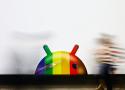
Nextcloud's public story of Play Store problems seems to have helped. //
Nextcloud, a host-your-own cloud platform that wants to help you "regain control over your data," has had to tell its Android-using customers for months now that they cannot upload files from their phone to their own servers. Months of emails and explanations to Google's Play Store representatives have yielded no changes, Nextcloud wrote in a blog post.
That blog post—and media coverage of it—seem to have moved the needle. In an update to the post, Nextcloud wrote that as of May 15, Google has offered to restore full file access permissions. "We are preparing a test release first (expected tonight) and a final update with all functionality restored. If no issues occur, the update will hopefully be out early next week," the Nextcloud team wrote. //
Nextcloud stated that it has had read and write access to all file types since its first Android app. In September 2024, a Nextcloud Android update with "all files access" was "refused out of the blue," with a request that the app use "a more privacy aware replacement," Nextcloud claimed. The firm states it has provided background and explanations but received "the same copy-and-paste answers or links to documentation" from Google.
"To make it crystal clear: All of you as users have a worse Nextcloud Files client because Google wanted that," reads Nextcloud's blog post. "We understand and share your frustration, but there is nothing we can do." //
HyperionAlphaMAX Seniorius Lurkius
7y
29
A similar app called Syncthing also got booted off the Play Store for the same reason. I still have it on my phone and it's a fantastic Cloud-free way to backup my phone to my NAS, even over the internet.
Permissions are supposed to be laid in front of me and then I can make an educated decision whether to install it or not. Why is Google blocking useful apps that can compete with their Cloud Storage while allowing data-slurping malware masquerading as shopping apps and games on the store? //
rorybaust Seniorius Lurkius
16y
18
Google now appear hellbent on proving that all the anti trust efforts by the authorities are not just political stunts and theater but actually have merit. Who would have thought that when Google dropped the "do no evil" mantra that they would actively pursue evil as a business strategy instead ?
and yes that last one was a rhetorical question indeed //



If anyone has ideas on how to set up automatic flattening on a non-rooted Android phone, I’m all ears. If not, perhaps there is a thing that would be possible with Tasker or some other tool which can run a linux command like:
find "$TARGET" -mindepth 2 -type f -exec mv -n "{}" "$TARGET/" \;
find "$TARGET" -mindepth 1 -type d -empty -delete
Hi @testing123,
I’ve implemented custom script support into the Syncthing-Fork app. The wrapper can now run shell scripts when a folder completes its sync progress. I’m using it myself to clean up mess Android itself repeatedly puts in my folders to prevent it from syncing across to other connected devices.
You can optIn to test it by turning expert options on and upgrading to this test build:
https://github.com/Catfriend1/syncthing-android/actions/runs/15002361443/artifacts/3116423884
For security considerations, you have to put your scripts into “.stfolder” and turn that option explicitly on per folder. See Expert option: Run custom shell script after folder sync completed by Catfriend1 · Pull Request [#1412](https://a.plas.ml/./add-tag/1412) · Catfriend1/syncthing-android · GitHub for more details and demo scripts.
This is an app that can synchronize SMS or Notification between multiple devices(PC, Phone).
Caution!
If someone else has asked you to install this app, be careful since he/she may be a fraud.
How to use
- First, add a filter to set up recipients.
- Enter the recipient phone number, email, URL, Telegram, Push Service ID. You can add several.
- You can set keywords present in the phonenumber or message body as conditions, or leave it blank if you just want to forward everything.
- You can customize the template for the forwarded message.
Features
- Forward SMS or Notification to Email, Phone, URL, Telegram, Push Service.
- Add filters to various options.
- Supports Gmail and SMTP.
- Supports Dual SIM setting.
- Supports setting of operation time.
- Supports filter backup/restore.
This app does not provide feature to get messages from devices that do not have the app installed.

New ChoiceJacking attack allows malicious chargers to steal data from phones. //
About a decade ago, Apple and Google started updating iOS and Android, respectively, to make them less susceptible to “juice jacking,” a form of attack that could surreptitiously steal data or execute malicious code when users plug their phones into special-purpose charging hardware. Now, researchers are revealing that, for years, the mitigations have suffered from a fundamental defect that has made them trivial to bypass.
“Juice jacking” was coined in a 2011 article on KrebsOnSecurity detailing an attack demonstrated at a Defcon security conference at the time. Juice jacking works by equipping a charger with hidden hardware that can access files and other internal resources of phones, in much the same way that a computer can when a user connects it to the phone. //
Researchers at the Graz University of Technology in Austria recently made a discovery that completely undermines the premise behind the countermeasure: They’re rooted under the assumption that USB hosts can’t inject input that autonomously approves the confirmation prompt. Given the restriction against a USB device simultaneously acting as a host and peripheral, the premise seemed sound. The trust models built into both iOS and Android, however, present loopholes that can be exploited to defeat the protections. The researchers went on to devise ChoiceJacking, the first known attack to defeat juice-jacking mitigations.
“We observe that these mitigations assume that an attacker cannot inject input events while establishing a data connection,” the researchers wrote in a paper scheduled to be presented in August at the Usenix Security Symposium in Seattle. “However, we show that this assumption does not hold in practice.”

As you may have gathered, Super Display turns almost any Android device (and Chromebook) into a portable monitor connected to a Windows PC or laptop via a USB cable or Wi-Fi network. //
Super Display consists of a Windows driver and an Android app. You’ll need to install both for it to work. Once that’s complete, the host Windows machine views the Android devices as another monitor. This includes access to the regular array of display settings, including resolution, refresh rate, location of the monitor in the array, and even customization options. Super Display also includes some limited quality adjustments if the connection drags for any reason. //
As mentioned, Super Display is a puzzle of two parts. You’ll first need to install the Windows driver and then the Android app.
- Download the Super Display driver on your Windows PC.
- Once the driver is installed, install the Android app on whichever device you want to connect.
- Once the app is installed on your phone, open it.
- Grab a USB-C (or micro-USB) cable and connect your Android device to your PC.
- Follow the prompts on your Android device’s screen.
Super Display includes a three-day trial, which is more than enough time to determine its usefulness. However, you’ll need to invest $14.99 to unlock it for life.

Although the Easter egg was discovered on Android 6.0 Marshmallow’s stock dialer, it still works on modern Android phones, provided you use the Phone by Google app. To activate the Easter egg:
Open the Phone by Google dialer on your device.
Punch in 0118 999 881 999 119 725 3 like a phone number.
After entering the “3” the Call button will flash blue and red, like a police car. Your phone should also vibrate rapidly.
Remember that the feature only works on the Phone by Google app or the stock Android dialer.

Safe Home
for your photos
Store, share, and discover your memories with absolute privacy
Together with family
Share your subscription with your family, for free.
Cross platform
Ente has apps for Android, iOS, Linux, Mac, Windows and the web.
All our apps are open source.
Background uploads
Ente backs up data in the background, across all platforms. Any new photos you click are automatically encrypted and uploaded to our servers.
Aegis Authenticator is a free, secure and open source app for Android to manage your 2-step verification tokens for your online services.
Secure, simple and actively developed.

The built-in ringtones are located in
/system/media/audio/ringtones... instead of your Internal Storage. ///
Use the RootExplorer app to navigate and copy
There is a setting in the app to change the port (don’t change it in the Web GUI!). You need to set it to 0.0.0.0:8384 for remote access. Please also be aware that on Android, the username is hard-coded to “syncthing” and the password to the API key, and you cannot change them for now. //
(App menu > Settings > Syncthing Options > GUI Listen Addresses > 0.0.0.0:8384)
(App menu > Web GUI > Settings > GUI Tab > GUI Authentication User).
Just for the record, if you do change them in the Web GUI, they will reset back to “syncthing” and the API key after restart. This is a known issue and limitation.

If theft detection didn't work, there are at least two backups. Offline Device Lock activates if the Internet connection is disabled on your phone. And, using another device, you can use Remote Lock at android.com/lock to quickly lock your device with a phone number and a security challenge. It's a faster way to secure your device while you use Find My Device to locate and further lock your gear.
Those three key features—Theft Detection Lock, Offline Device Lock, and Remote Lock—are not exclusive to Android 15 but are rolling out along with its release. Users on Android 10 or higher should get a Google Play Services update to enable the features, though they'll have to be turned on in the device settings.

In Android 14, Google introduced new limitations on the installation of applications targeting old versions of Android.
What’s changing
From Android 14 it is no longer possible to install any application that targets an API level below 23 - Android 6.0. Attempting to do so will trigger a security exception //
It's certainly better to ensure apps are targeting the latest API level where possible, but as long as applications target an API level of 23 (Android 6.0) or higher for Android 14, and 24 (Android 7.0) or higher in Android 15, apps will continue to be able to install without issue. //
Yes, on an Android 14 device you may connect to ADB and sideload an application with:

Android doesn’t support characters like "*/:<>?| in filenames (see https://stackoverflow.com/questions/2679699/what-characters-allowed-in-file-names-on-android/64021421#64021421 2). If you want to sync those files to an Android device, you do need to remove these from their names.

A boot loop is when an Android device gets stuck in the startup screen and continuously reboots, preventing the user from fully booting up the phone. This usually happens because of a software issue, where there is a problem with the operating system that causes it to crash and restart repeatedly.

QUICK ANSWER
Backup Android devices using Google One by going to Settings > Google > All services > Backup and toggling on Backup by Google One. You can tap on Back up now if you don't want to wait for your phone to update automatically.
JUMP TO KEY SECTIONS
- How to backup your Android phone with Google
- How to backup your Android phone with Amazon Photos, OneDrive, and others
- Backing up to your computer
- Other options

How to factory data reset an Android phone using Recovery Mode:
- Make sure the phone is off.
- Press and hold the power and volume down buttons simultaneously.
- Continue pressing them until the screen starts.
- A screen with the word “Start” pointing at the power button, text, and navigation instructions will appear.
- You can now use the power button to make selections and the volume keys to navigate.
- Hit the volume down button until you see Recovery Mode.
- Press the power button to select it.
- The phone will restart and show an Android robot in distress.
- Press and hold the power button, then press the volume up button while still holding the power button.
- Using the volume buttons, highlight Wipe data/factory reset.
- Press the power button to select the option.
- Confirm by selecting Factory data reset and let the phone do its thing.
- Once done, select Reboot system now.

As long as your Android device is running on version 6.0 or newer, you have to follow these steps:
- Press and hold the power button until power options appear.
- Tap and hold Power Off.
- Hold until you see Reboot to safe mode, and then tap on the prompt.
The exact wording of the prompt may vary by manufacturer, but the process should be the same. Once you confirm to reboot in safe mode, wait until your phone restarts. You should now see apps and widgets grayed out, and you will only have access to the first-party features. Don’t worry — these steps haven’t changed with Android 14.
Enter safe mode with device buttons
If you’re having issues with a laggy screen, you can also reboot in safe mode using the hard buttons on your phone. It’s just as easy to do, and you’ll have to follow these steps:
- Press and hold the power button, then choose Power Off.
- Turn your phone back on with the power button, and hold the power button until you see an animated logo appear.
- Hold the Volume Down button once you see the animated logo appear.
- Continue holding Volume Down until your device boots.
RCX - Rclone for Android
A cloud file manager, powered by rclone.
Features
Cloud Access
- Use your cloud storage like a local folder.
256 Bit Encryption - Keep your files private on any cloud provider with crypt remotes.
Integrated Experience - Don't give up features or comfort just because it runs on a phone.
- File Management (list, view, download, upload, move, rename, delete files and folders)
- Streaming (Stream media files, serve files and directories over FTP, HTTP, WebDAV or DLNA)
- Integration (Access local storage devices and share files with the application to store them on a remote)
- Many cloud storage providers (all via rclone config import, some without)
- Material Design (Dark theme, custom primary and accent colors)
- All architectures (runs on ARM, ARM64, x86 and x64 devices, Android 7+)
- Storage Access Framework (SAF) (see docs) for SD card and USB device access.

An android cloud file manager, powered by rclone. Visit https://roundsync.com for more information!
READY TO UNLOCK YOUR DEVICE'S BOOTLOADER?
Let's make sure you know what you're getting into first.
In case you didn't know, Bootloader is a little bit of code that tells your device's operating system how to boot up. Basically, it's what makes your device start up and run the way you're used to.
Motorola has done the work to make sure your device has a fully optimized, certified and tested version of Android.
Unlocking the bootloader will allow you to customize your device, but keep the following in mind: //
Review all the warnings and make sure you completely understand the implications
Once you get the unlock code, your device is no longer covered by the Motorola warranty; in other words, please don't blame us if things go wrong, even if they appear unrelated to unlocking the bootloader.