The next step toward verifying apps will come this month as Google deploys a new system service on most certified devices. The package (com.google.android.verifier) will appear on phones and tablets running Android 8 or higher, allowing Google to block the installation of unverified apps. It will remain dormant until verification is activated in your specific region. //
As detailed a few months ago, the advanced flow will allow users to bypass verification, but the process isn’t easy. You’ll have to navigate to a buried menu, confirm you understand the risks multiple times, and wait a whole day before completing the process.
https://arstechnica.com/gadgets/2026/03/google-details-new-24-hour-process-to-sideload-unverified-android-apps/


But those customers don't count. They aren't real Apple customers, because they want to do things that benefit them, not Apple's shareholders. In other words: they're holding it wrong.
Law, not technology, is the true battlefield in the War on General Purpose Computing, a subject I've been raising the alarm about for decades now:
https://memex.craphound.com/2012/01/10/lockdown-the-coming-war-on-general-purpose-computing/
The fact that there's no technical way to enforce these restrictions means that the companies that benefit from them have to pitch their arguments to lawmakers, not customers. If you have something that works, you use it in your sales pitch, like Signal, whose actual, working security is a big part of its appeal to users.
If you have something that doesn't work, you use it in your lobbying pitch, like Apple, who justify their 30% ripoff app tax – which they can only charge because it's a felony to reverse-engineer your iPhone so you can use a different app store – by telling lawmakers that locking down their platform is essential to the security and privacy of iPhone owners:
https://pluralistic.net/2024/01/12/youre-holding-it-wrong/#if-dishwashers-were-iphones
Google lost a brutal antitrust case brought by Epic Games, makers of Fortnite:
https://pluralistic.net/2023/12/12/im-feeling-lucky/#hugger-mugger
Epic's suit contended that Google had violated antitrust law by creating exclusivity deals with carriers and device makers that locked Android users into Google's app store, which meant that Epic had to surrender 30% of its mobile earnings to Google.
Google lost that case – badly. It turns out that judges don't like it when you deliberately destroy evidence:
They say that when you find yourself in a hole, you should stop digging, but Google can't put down the shovel. After the court ordered Google to open up its app store, the company just ignored the order, which is a thing that judges hate even more than destroying evidence:
https://www.justice.gov/atr/case/epic-games-inc-v-google-llc
So it was that last month, Google found itself with just two weeks to comply with the open app store order, or else:
https://www.theverge.com/news/717440/google-epic-open-play-store-emergency-stay
Google was ordered to make it possible to install new app stores as apps, so you could go into Google Play, search for a different app store, and, with a single click, install it on your phone, and switch to getting your apps from that store, rather than Google's.
That's what's behind Google's new ban on "sideloading": this is a form of malicious compliance with the court orders stemming from its losses to Epic Games. In fact, it's not even malicious compliance – it's malicious noncompliance

Starting September 2026, a silent update, nonconsensually pushed by Google, will block every Android app whose developer hasn't registered with Google, signed their contract, paid up, and handed over government ID.
You bought an Android phone because Google told you it was open. You could install what you wanted, and that was the deal.
Google is now rewriting that deal, retroactively, on hardware you already own. After the update lands, you can only run software that Google has pre-approved. On your phone: your property, that you paid for.
After September 2026, none of these can be installed without Google's blessing.
F-Droid, home to thousands of free and open-source Android apps, has called this an "existential" threat. Cory Doctorow calls it "Darth Android".
Android's openness was never just a feature. It was the promise that distinguished it from iPhone. Millions chose Android for exactly that reason. Google is now revoking that promise unilaterally, on devices already in people's pockets, because they've decided they have enough market dominance and regulatory capture to get away with it.
Ars Technica: "Google's Apple envy threatens to dismantle Android's open legacy."
FreeOTP is a two-factor authentication application for systems utilizing one-time password protocols. Tokens can be added easily by scanning a QR code. If you need to generate a QR code, try our QR code generator.
FreeOTP implements open standards: HOTP and TOTP. This means that no proprietary server-side component is necessary: use any server-side component that implements these standards. We recommend FreeIPA.
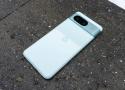
To get started and turn your phone into a server-compatible camera, you need it to actually broadcast a signal that your server can catch. There are a few different options when it comes to applications that will do this for you. These include IP Webcam and RTSP Camera Server Pro, and both are available on the Play Store. It's worth keeping in mind that these apps don't store video on the phone; they turn the phone into a network node.
BasicSync is a simple app for running Syncthing on Android.
The app is intentionally kept very basic so that the project is easy to maintain and keep updated. BasicSync only controls when Syncthing runs. The actual configuration is done through Syncthing's own web UI.
- Runs Syncthing as a library in the main process
- This makes BasicSync immune to Android >=12's child process restrictions

-
By default, you can change your phone’s screen timeout settings from the display settings to keep the screen on.
-
On devices that don’t have this option, or for users who want a simple toggle, Screen Awake is an excellent third-party app.
-
For users who want the feature to work for specific apps, Wakey’s paid version offers that feature, alongside other added benefits.
-
Wakey keeps whitelisted apps awake - $0.99 upgrade
-
Caffeine Offers infinite option from system tray

“Selfishly, a little bit, we built Shield for ourselves,” Bell told Ars Technica. “We actually wanted a really good TV streamer that was high-quality and high-performance, and not necessarily in the Apple ecosystem. We built some prototypes, and we got so excited about it. [CEO Jensen Huang] was like, ‘Why don’t we bring it out and sell it to people?’” //
“Early on when we were building Shield TV, we decided we were going to make it for a long time. Jensen and I had a discussion, and it was, ‘How long do we want to support this thing?’ And Jensen said, ‘For as long as we shall live.’”
In 2025, Nvidia wrapped up its tenth year of supporting the Shield platform. Even those original 2015 boxes are still being maintained with bug fixes and the occasional new feature. They’ve gone all the way from Android 5.0 to Android 11 in that time. No Android device—not a single phone, tablet, watch, or streaming box—has gotten anywhere close to this level of support.
"How to setup Tasker so that if the phone is charging, and Spotify is in the foreground, the phone/screen will not go to sleep?"
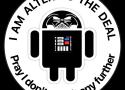
➤ You, the consumer, purchased your Android device believing in Google’s promise that it was an open computing platform and that you could run whatever software you choose on it. Instead, starting next year, they will be non-consensually pushing an update to your operating system that irrevocably blocks this right and leaves you at the mercy of their judgement over what software you are permitted to trust.

Shortly after our post was published, Google aired an episode of their Android Developers Roundtable series, where they state unequivocally that “sideloading isn’t going anywhere”. They follow-up with a blog post:
Does this mean sideloading is going away on Android? Absolutely not. Sideloading is fundamental to Android and it is not going away.
This statement is untrue. The developer verification decree effectively ends the ability for individuals to choose what software they run on the devices they own.
It bears reminding that “sideload” is a made-up term. Putting software on your computer is simply called “installing”, regardless of whether that computer is in your pocket or on your desk. This could perhaps be further precised as “direct installing”, in case you need to make a distinction between obtaining software the old-fashioned way versus going through a rent-seeking intermediary marketplace like the Google Play Store or the Apple App Store.
Regardless, the term “sideload” was coined to insinuate that there is something dark and sinister about the process, as if the user were making an end-run around safeguards that are designed to keep you protected and secure. But if we reluctantly accept that “sideloading” is a term that has wriggled its way into common parlance, then we should at least use a consistent definition for it. Wikipedia’s summary definition is:
the transfer of apps from web sources that are not vendor-approved
By this definition, Google’s statement that “sideloading is not going away” is simply false. //
You, the consumer, purchased your Android device believing in Google’s promise that it was an open computing platform and that you could run whatever software you choose on it. Instead, starting next year, they will be non-consensually pushing an update to your operating system that irrevocably blocks this right and leaves you at the mercy of their judgement over what software you are permitted to trust. //
As a reminder, this applies not just to devices that exclusively use the Google Play Store: this is for every Android Certified device everywhere in the world, which encompasses over 95% of all Android devices outside of China. Regardless of whether the device owner prefers to use a competing app store like the Samsung Galaxy Store or the Epic Games Store, or a free and open-source app repository like F-Droid, they will be captive to the overarching policies unilaterally dictated by a competing corporate entity. //
Developer verification is an existential threat to free software distribution platforms like F-Droid as well as emergent commercial competitors to the Play Store. We are witnessing a groundswell of opposition to this attempt from both our user and developer communities, as well as the tech press and civil society groups, but public policymakers still need to be educated about the threat.
To learn more about what you can do as a consumer, visit keepandroidopen.org for information on how to contact your representative agencies and advocate for keeping the Android ecosystem open for consumers and competition.
In August 2025, Google announced that starting next year, it will no longer be possible to develop apps for the Android platform without first registering centrally with Google. //
➤ You, the consumer, purchased your Android device believing in Google’s promise that it was an open computing platform and that you could run whatever software you choose on it. Instead, starting next year, they will be non-consensually pushing an update to your operating system that irrevocably blocks this right and leaves you at the mercy of their judgement over what software you are permitted to trust.
Starting next year, Google plans to require all apps installed on certified Android devices, including sideloading, to come from developers it has verified. Many Android developers see the move as a power grab and have started a movement to "Keep Android Open." //
On Tuesday, via the F-Droid blog, he renewed his challenge to Google's assertions about its verification program, specifically the company's claim that "Sideloading is fundamental to Android and it is not going away."
"This statement is untrue," he wrote in his post. "The developer verification decree effectively ends the ability for individuals to choose what software they run on the devices they own.
"It bears reminding that 'sideload' is a made-up term. Putting software on your computer is simply called 'installing,' regardless of whether that computer is in your pocket or on your desk."
Both Google and Apple [PDF] use the term "sideloading" as a pejorative, possibly because they have a commercial interest in running app store toll booths.
Prud'hommeaux proposes the term "direct installing," in case you need to make a distinction between obtaining software the old-fashioned way versus going through a rent-seeking intermediary marketplace like the Google Play Store or the Apple App Store.
Pointing to The Register's recent report about 77 malicious apps on Google Play that amassed more than 19 million downloads, Prud'hommeaux questions both Google's ability to catch malicious apps and its lack of evidence to support the claim that it "found over 50 times more malware from internet-sideloaded sources than on apps available through Google Play."
Switching from the deprecated official version
Switching is easier than you may think!
Starting today, Google is implementing a change that will enable its Gemini AI engine to interact with third-party apps, such as WhatsApp, even when users previously configured their devices to block such interactions. Users who don't want their previous settings to be overridden may have to take action.
Kwik EFIS is a suite of applications which implement a Glass Cockpit solution designed to function on most Android devices equipped with a GPS, gyroscope, accelerometer and a CPU with reasonable performance. The suite currently consist of applications:
- Primary Flight Display (PFD), Kwik PRIM
- Multi Function Display (MFD) Digital Moving Map, Kwik DMAP
- Combined Format Display (CFD), Kwik COMP
TimeLimit
Limit the usage of Android™ phones easily
Download at F-Droid
A group of simple, open source apps without ads and unnecessary permissions, with customizable colors. A fork of @SimpleMobileTools.
Using an SD card on the moto g7 play
Your phone supports an optional microSD card up to 512 GB.
The type to buy depends on how you'll format the card:
Portable storage (can use card in different devices): A Class 2, 4, or 6 card is sufficient.
Internal storage (card used only by phone): Use a high speed card such as UHS-1 type for best performance. Class 2, 4, or 6 cards are slower than your phone’s internal storage, so using them for internal storage would slow your phone's performance.