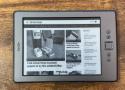
Turning a Kindle into a portable monitor isn't something you can do with the standard firmware. Amazon locks its software down so you can't just throw some code onto your Kindle and get it to display whatever you want.
The good news is that plenty of people far smarter than I am have figured out how to jailbreak many Kindle devices. I'd already done this to my Kindle and installed the KUAL app launcher that lets me install and run custom apps such as KOReader. Using the USBNetwork software, I was able to connect my Kindle to my computer over USB and SSH into it as if it were a network device.
https://www.howtogeek.com/how-to-jailbreak-a-kindle-ereader/
With my Kindle jailbroken, I was able to set up a method of getting the Kindle to display a mirror of my Mac desktop. This works by running a shell script on my Mac that takes a screenshot of my desktop every half a second. This is passed through ImageMagick, an open-source image processing tool that converts the image to grayscale and resizes it to the correct resolution for the Kindle's screen.
This image is then made available as a JPEG over my home network using Python's lightweight web server. Another shell script running on the Kindle fetches the JPEG over Wi-Fi using Wget, a common tool for downloading files. The JPEG is then displayed on the Kindle screen, and the process repeats, producing a near-live mirror of my Mac desktop running at around one frame per second.
The result was better than I was expecting.

