Once jailbroken, I installed the Kindle Unified Application Launcher (KUAL) software that lets me launch custom applications, and installed the KOReader document viewer and eBook reader app. This app is far more capable than the standard Kindle app, especially when it comes to handling PDF files.
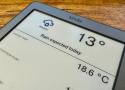
I wanted to see if I could get the Kindle to display a Home Assistant dashboard and discovered the hass-lovelace-kindle-screensaver add-on. It's a simple but effective tool that takes regular screenshots of your Home Assistant dashboard, converts the screenshots to a grayscale format for the Kindle, and serves the images over Wi-Fi for the Kindle to fetch.
https://www.howtogeek.com/your-kindle-isnt-just-for-booksheres-5-extra-features-you-can-try-today/
https://www.howtogeek.com/i-switched-to-home-assistants-new-dashboard-and-its-now-my-favorite-hub/

