7643 shaares
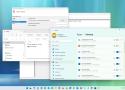
To automatically start a program in Windows 11, you can go to Settings > Apps > Startup and turn on the toggle for the desired app. Alternatively, you can place a shortcut of the program in the Startup folder located at
%userprofile%\AppData\Roaming\Microsoft\Windows\Start Menu\Programs\Startup
