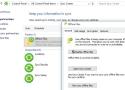
Offline Files feature in Windows 10 allows you to make certain shared network folders and files available offline even if your computer is not connected to the corporate network. In this article, we will show how to enable and configure Offline Files on Windows 10 and Windows Server 2019 manually and using GPO.
Offline Files have been available in Windows for a long time. A user only needs to enable Offline Files on the computer and check the “Always available offline” option for some files or folders in a shared folder. Then Windows saves the specified files to the local cache on the disk and periodically updates them in the background (every 2 hours by default, but you can set how often your Offline Files are synchronized using the Configure Background Sync option in GPO). //
Offline Files are stored in the C:\Windows\CSC folder on a client computer and are not directly accessible through File Explorer.

